EeePC 901 + Snow Leopard

I found this article earlier explaining the quickest way to install Snow Leopard (10A432) on a PC box, so I decided to install onto my EeePC netbook to test the theory. It works! Alright it isn't as simple as that. Here's the status right now with just my simple mods: As you can imagine, the trackpad issue is bothering me just a little… You'll have to do a bit of hacking to get to the state above, however. I cannot, and will not, provide copies of any of the hacks performed below; I have given a reasonable amount of information so that others can do that for you. Please don't ask as I won't respond. Keyboard Support You will need to compile yourself a Snow Leopard version of the VoodooPS2 drivers from http://chameleon.osx86.hu/. This is relatively straightforward, but means you need a working Snow Leopard machine with a working 10.6 SDK. You will need to switch compiler to GCC4.0 for one of the drivers to prevent a compile error, and you will also need to edit a line ('private' to 'public') in an OS header to convince something else to compile. Theoretically, this driver should enable the trackpad too but it hasn't for me, but someone with more experience may fix this (please do! and send me the working one!). Graphics Driver You will need an Eee-compatible copy of Natit.kext (I used the one from the EeeMac driver set) and you will also need to hex-edit the AppleIntelGMA950 and AppleIntelIntegratedFramebuffer kexts to accept your graphics card (find and replace all instances of 8680A227 with 8680AE27 in both). You will need to edit the Info.plist of both kexts too to add your card's ID (0xae278086). Bluetooth You will need to add your Bluetooth device/vendor IDs to IOBluetoothFamily.kext's BroadcomUSBBluetoothHCIController.kext. Audio You will need to install CHUD from the Developer Tools included on the Snow Leopard disc. You will also need Audeee. Follow instructions on the EeeMac blog for Leopard to see how it works. Other Follow the rest of the instructions on the EeeMac blog that don't involve replacing extensions. A lot of the hacked extensions that worked on Leopard will fail to load on Snow Leopard and may render your machine unbootable. If you want to experiment, at least know what you're doing.
After doing all that, you'll have a mostly-working Snow Leopard install on the Eee. :) I haven't done any performance testing, as it's a pain using an external mouse for the moment. Everything feels snappy, and I played a 720p trailer (of Bolt) from the Apple website and it was watchable. Happy hacking! I cannot, and will not, provide copies of any of the hacks performed above; I have given a reasonable amount of information so that others can do that for you. Please don't ask as I won't respond.

iNdustrial Design

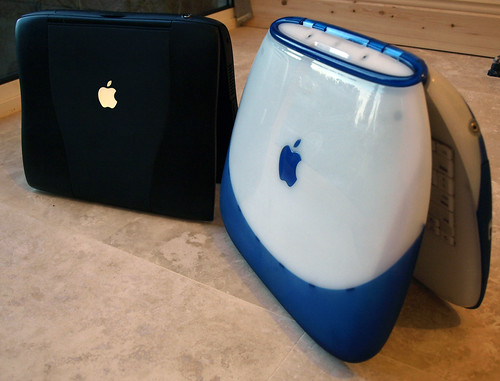
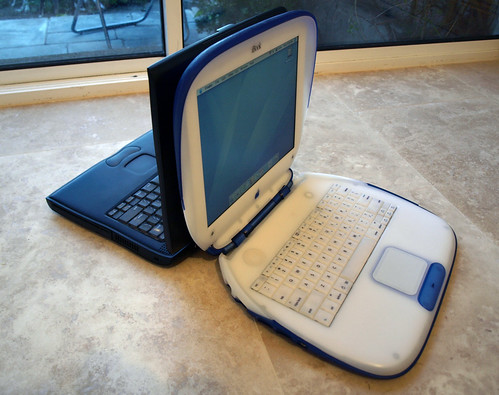
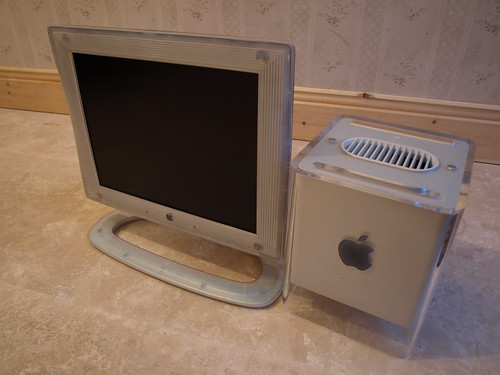
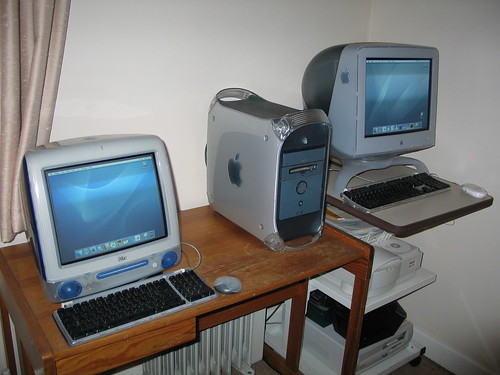
Lately I have been subjecting my Twitter followers to photographs of (…pause…) Apple hardware. Specifically, older Apple hardware designed by Jonathan Ive and his team. Apple has always had design foremost in their product planning, but it was Ive who infused Apple's industrial design with an energetic and youthful vibrance. Apple often mentions their major product innovations, with milestones set at the original Macintosh introduction, the iPod introduction, and the introduction of iPhone. You could argue that the original iMac was of the same calibre in its impact on the world of computing. It made such a splash because it bucked conventional thinking about the design of devices from the inside out. It was that inspiration that redefined Apple. Apple was pushed towards a new, youthful market, whereas before the original diehard Mac fanatics were trending towards the older age groups. It was this youth that pushed Apple towards OS X's UI, music, iPod and iPhone. You can see it in all of Ive's designs too, with their translucent plastics and beautiful curves. He was just past 30 when the iMac was released, but you could tell he was still a twenty-something at heart. Apple, including Ive, has grown up since. It's a very different company from that which inspired me to enjoy computers. While I really like the current design trend (Silver + Black), I still have a special place in my heart for the older designs. I've made it my duty to lovingly collect and preserve as many examples as I can, so as of late I've been scouring everywhere for people getting rid of older Macs and inspiring hardware designs. Word-of-mouth (and eBay) is great, although the biggest problem so far is shipping (computers tend to be heavy). You can keep an eye on my Flickr if you're interested to see what I pick up, as I tend to photograph everything. :-)

Retro-envy

With all this talk of an Apple tablet in the news recently I was overcome with nostalgia (or, as I call it, 'retro-envy', considering I wasn't even five when the original Newton came out). Digging out my Newton MP2100, I determined to pimp it out with storage and some networking ability. I had a key hurdle to overcome before I could manage this: I didn't have a serial cable with which to install packages onto my Newton. After a little scrounging, I found an ancient EigerCom 33kbps PCMCIA modem that had been used in an old PowerBook 1400cs. Assuming this would 'just work' with my phone lines, I hastily plugged it into the Newton and into the wall. Fortunately, the Newton recognized and could use this card off the bat (handy!). The only problem was actually dialing up! Nine out of ten times, the modem would complain that it couldn't find a dial tone. In the end, I switched the modem to the 14.4kbps mode which allowed me to dial in every time. Getting WiFi working isn't too difficult, if you do it right. If you do it wrong, like I did, you'll spend hours scratching your head wondering why it won't work. I followed the great howto on the 'My Apple Newton' blog and installed everything I needed. I also installed the 'More WiFi Cards' package, thinking it may be useful in the future. Big mistake! Apparently, if you install the 'More WiFi Cards' package, it stops the standard accepted WiFi cards from working. It took me several hours to realize this, after purchasing a cheap Lucent Orinoco Gold 802.11b card from eBay and trying to configure it with my network. The good news: it works without problems on the latest Airport Extreme base stations (if you have b/g compatibility turned on). Here's a quick shot of my MP2100 on Twitter: I have since ponied up for a working serial cable and used both unixnpi (command line) and NCX to install packages. NCX also allows you install packages over WiFi, which makes things a lot easier and faster. Considering the MP2100 was released in 1997, two years before 802.11b even existed on paper, I think that's quite a feat. :-) While browsing eBay for Newton-related items, I came across this MP120 in perfect condition for a mere £21. I placed a bid a couple days before it closed, fully expecting to be outbid by a large amount. Amazingly, I wasn't, and today my beautiful MP120 arrived. Definitely a steal! I have a few more retro goodies en route to me, ranging from ATA flash storage for the Newton (now possible thanks to the recently-released ATA driver) to an eMate 300, also a steal. Will post more about them when they come!

Palm Pre SDK != 'Web Apps'

Palm opened up their webOS SDK for the Palm Pre on July 16th, allowing anyone to check it out and start developing applications for the Pre. However, some developers are finding problems that prevent them from bringing their applications to the device. Craig Hunter, an iPhone developer, writes:
In my quest to re-experience the early days of app development on a new mobile platform, I didn't rewind one year like I was hoping -- I went back two years, back to the days when we could only develop web apps on the iPhone. I wrote this piece back then, bitching about the limitations of web apps on the iPhone. It seems we're right back in the same boat with webOS.
He specifically laments the lack of OpenGL|ES support and the accelerometer data being too inaccurate (currently limited to four readings per second). He raises some important points, with the above major stumbling blocks for those thinking of writing games, but he's wrong in saying that the Pre is akin to iPhone's web app 'SDK' as it was presented back at WWDC 2007. Palm's apps aren't web apps; yes they use javascript and HTML, but they tie into the system services with such. There is no other 'native' API; all applications, including the entire system shell, are built the same way and have the same capabilities. Really, Craig's found out that the Pre has (in effect) a sandbox for applications, and, if you think of it, it's not unlike the iPhone SDK sandbox. Bloggers lambasted the original iPhone SDK for providing only a baby subset of the actual features of the iPhone. Has it stopped growth, or a booming 65,000 app market with 1.5 billion unit sales? Of course not! Palm's lack of developer access to certain functions is a mere by-product of the immaturity of the platform. The reason there is no OpenGL|ES support on the Pre is because the Pre doesn't have an OpenGL|ES graphics driver. Currently the entire OS is using software-based drawing and animation (using directFB I believe). This is why webOS isn't as smooth as the iPhone in its animations or scrolling. But this is merely a software limitation, which will no doubt be improved upon with software updates. Palm has also proven that they're a much more open company than Apple in all their dealings with the Pre hacking community, which has impressed me to no end. I fully expect them to keep adding great features to their SDK and listening to the developer feedback. I do believe the accelerometer issue above to be an oversight; it's far more likely that Palm only envisioned game developers using the accelerometer at higher refresh rates, and the Pre wasn't initially designed for gaming, more being a re-imagining of Palm's canned Foleo project. That's not to say the Pre will never support gaming; the GPU in the Pre hardware is a damn good PowerVR SGX 530 chip, of the same family as that in the iPhone 3GS, just with a lower maximum polygon/sec count. As soon as there's a proper driver in the OS, and WebKit is re-tooled to use the GPU for its rendering, we should expect some really awesome updates to webOS. It's just a matter of time…

No promo codes for apps rated 17+

People are only now finding out what 17+ apps and rating systems entail; any application rated 17+ is refused the ability to have promotional codes generated, so you cannot send out review copies, etc. TUAW writes:
Apple specifies that any application that may contain high levels of offensive language, violence, sexual content, or references to drugs or alcohol receive a rating of 17+. But, according to Apple, apps that feature an embedded web browser or provide access to 3rd party content also automatically require the 17+ rating, regardless of the application's content or intended audience.
Marco Arment provides a little more detail:
Assuming Apple applies their standards on what constitutes “unfiltered internet content” somewhat uniformly, this will affect, among others, any subsequent versions of: Instapaper Every Twitter and Tumblr client that can show others’ content Every RSS reader Every Flickr client Every instant-messaging client (remember, text profanity counts) Every social-networking client Most ebook readers
However, it's worse than that. If you set a rating for an application before you've finished it and uploaded to iTunes Connect, there is no way to change the rating afterwards. So say, for example, you edit the application to remove offensive content or, as mentioned above, remove an inbuilt browser, you cannot change the rating for your application back to sane levels, thus preventing you from generating promo codes for it! Until recently it was even nastier: If you had even a single 17+ rated application entry on iTunes Connect, whether it had been uploaded/finished or not, you were forbidden from making any promo codes for any of your other apps, even if they were rated 4+. I fell into that trap by having my (unreleased) Doom port listed on iTunes Connect as 17+; for months I was unable to generate promo codes for my other apps until I contacted Apple with a 'WTF?'. Fortunately, you were able to modify the rating at the time, unlike now. I really hope Apple sort out this mess soon, because when the App Store system works it works really well.

SameGame v2.0

Coming Soon…

Speech Synthesis on iPhone 3GS

Posted this on Twitter a week back, but maybe it's of some interest to blog readers; here's how to do simple voice synthesis on the iPhone 3GS (3GS-only, I'm afraid). It's a private API, but hopefully if we file enough Radars they'll make it a public one.

To enable the following code to work you'll need to link the VoiceServices.framework (from the PrivateFrameworks folder of the SDK) in your app.

NSObject *v = [[NSClassFromString(@"VSSpeechSynthesizer") alloc] init]; [v startSpeakingString:@"All your base are belong to us"];

Apologies for my lazy 'NSObject' define above, but you get the idea :-)

With that, you have simple speech synthesis for your application (obviously you cannot include this when you submit to the App Store as it links to a private framework, but you can use it in your internal applications). It requires the 3GS because the Speech stuff just isn't in the firmware for the older devices.

Obligatory video below:

Quake 3 on iPhone 3GS

I posted these to Twitter, but I'll put them here too for posterity. Here are screenshots of my newly compiled version of Quake 3 running on the iPhone 3GS on max graphics settings. I made my own icon for it as I didn't like the original. Do note that the frame rate generally dips by 10fps when I press the screenshot buttons, and it runs really smooth on device! No special hacks used when building; I did turn on auto vectorization and NEON in the compiler settings.

Stack v3 Alpha 1 : Video Demo!

Here's a quick video of how (the unreleased) Stack v3 works. I think it's much improved - check it out:
Many thanks to all who've donated (and received their alpha version of Stack v3 in return) - I really appreciate it!

Stack v3.0…

Yes you read that right. In going back to make sure Stack v2.2 would work properly on 3.0, I had a horrid idea… A couple hours later, and I'd got it working. And man is it awesome! On a whim, I'd rewritten Stack to actually be an icon in SpringBoard. It can be moved anywhere, has all the same positioning and reordering abilities as any other icon, it doesn't interfere with other apps, and is generally the cleanest and best way I could ever implement Stacks (yes, with an 's', there can be more than one now!). It took an awful lot of hacking around and programming blind to pull it off, but I think it's gonna work really well. I have no idea when I'll release it, but it will (likely) only be for iPhone 3.0 and above (running out of 2.x devices here to test against for compatibility!). Also please note that I'm now taking donations as an incentive for me to continue working on Stack (as long as I can), so if you have anything spare to give I graciously accept any amount!
Here are various screenshots to just get you interested:

Stack v2.2 'release candidate' for iPhone 3.0

I held Stack 2.2 (my final release) for the launch of 3.0 as it made sense to make sure it still ran on the newer firmware (as I won't be able to update it from now on). Without further ado, I direct you to my 'new' Stack website! http://www.steventroughtonsmith.com/stack/ Hope this helps out all those who've been missing Stack and/or yearning for the cool new stuff in version 2.2. IMPORTANT NOTES: • Should work on iPhone OS 2.0 all the way up to 3.0. • Has issues on 3.0 as regards showing on top of videos (there's a technical reason for this, they removed something I was checking for in 2.x which allowed me to fade out when not at SpringBoard. Will try and find a workaround for 3.0) • Is not available in Cydia. This is a Terminal-only install, for political reasons. Sorry if it makes things difficult. • This is still a prerelease binary - there are some bugs. Let me know about them in the usual ways (email, Twitter) • As always, any of those Extended Preferences-alike mods will likely prevent Stack from showing in Settings NEW IN STACK v2.2: • Custom positioning - drag the Stack to reposition it horizontally • Display mode: image (customizable), single-icon, or cascaded icons (3 icons) • Optional Item-removal prompt • Grid View theming (Grid View images are fully modifiable) • Much-improved performance and memory usage

Trading Card Games

One thing I've learned during my life: people never grow up.

When I was young, Pokémon cards were all the rage, and that eventually turned to Magic: The Gathering in mid to late teens. Trading card games have naturally existed for many many years before that.

Today, it's the exact same with business cards. You go to conferences and events and try to trade as many as you can, to collect some in all sizes and colours. Nab yourself an Apple or Google business card and you're really proud of it. I'm pretty sure if people weren't too embarrassed to 'battle' their business card against others they would! I particularly liked the Realmac business cards (I wrangled one each out of Danny and Keith).

I must have been the only person at WWDC without business cards, so mid-week during the conference I decided to design myself a set I could order from Moo.

Today, they arrived! I'm really proud of them, being my first ever business cards, and I really enjoyed every bit of the design & ordering process with Moo. The Moo packaging is very nice too, with heavy duty holders.

I should also invest in some buttons, as quite a few people were sporting those too…

Tour of the Valley

Had a crazy day today with Chris McClelland and Philip Strain touring all the cool places in Silicon Valley (Google, Apple, Yahoo and Palm). Eventually ended up at Stanford, Tapulous and the WWDC Meltdown meetup. Can't say much about it except it was *awesome* :-D Funniest part of the day was when we saw the Tapulous offices and Chris decided that we should go in… Several seconds of shocked silence and priceless looks ensued before we introduced ourselves.

WWDC+Palm Pre = Rollercoaster Week


Haven't blogged in quite a while thanks to exams and whatnot, but this week I've been in San Francisco for Apple's World Wide Developers Conference with a sizable group of other Irish developers. And wow what a week it's been.

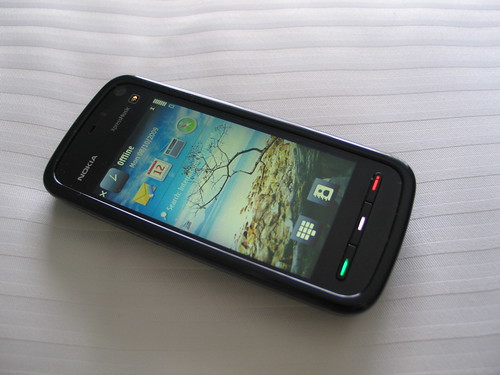
Asides the obvious Apple awesomeness, there's been even more cool stuff happening: at Monday lunch time Symbian held an event in Jillians just across from Moscone West, where the first 100 attendees got a free Nokia 5800 Xpress Music and t-shirt (as well as food and drink!):


Very nice move by Symbian I think; I would never have even bothered looking at Symbian even for making sure my websites run on it, but now with a free 'high-end' phone I have an excuse to do so. I'd also be really interested in writing S60 apps… except there's no Mac-native SDK. If Symbian actually wants to attract iPhone developers, as they seemed to at the event, then they better MAKE A MAC SDK!

On Tuesday, I decided to be adventurous. I was able to buy a Palm Pre from a local Sprint Wireless store without activation or a contract (apparently I hear it's very hard to do? $602 including tax), so I instantly ran off back to my hotel room to see if I could A) hack the activation out of the OS, and B) get it working so I can develop apps for it and run them on device.

Well, success :-) I gave up Tuesday eve because I couldn't get the device into restore mode no matter what I did, but on Wednesday morning I figured it out: you have to hold the volume-up button while the device is off before plugging it into USB, and from there you can use Palm's firmware flashers to do whatever you like with it. As the device can run unsigned firmware (!!!) I was easily able to hack out the activation check, and get up and running and enable the root shell. In that respect, I may just have the first jailbroken Pre in existence.


I gotta say; this week at WWDC I've used my Pre more than my iPhone. It's not better than the iPhone in any respect, BUT it's as-good-as for most people. Everything 'just works', whether it be syncing with iTunes or even using the iPhone headset with the Pre. It's a fantastic device and OS, and I really wish Palm well with it.

But man, for a hacker, the Pre is incredible. As mentioned, it runs unsigned firmware and has a root shell over USB when in developer mode (you can use the Konami cheat code to enable dev mode, too); you can do whatever the hell you like to the OS! The entire UI and all the apps are written in javascript, which in essence means the source code is available for you to modify at will, without recompiling anything. Even better, you can write C/C++ native Linux apps for it that draw directly to the framebuffer, as the recent Doom port shows. The specs are impressive, it's a ~600MHz ARM Cortex A8 with 256MB RAM with accelerometer, GPS, WiFi & Bluetooth, or, put another way, almost the exact same specs as the iPhone 3G S (bar the compass, afaik).

After revealing my exploit of the device, I was invited to a small Palm meetup nearby where I got to chat with the actual WebOS engineers, thoroughly validating my efforts :-D

Staying in San Francisco 'til Tuesday next, so hopefully I'll get some more free stuff somewhere (I'm *such* a student). This has seriously been the best week ever.